Best Habit Tracker for Freelancers: 4 Options Compared

By Luiz King · · Updated · 8 min read

The best habit tracker for a freelancer is the one that tracks the work that gets you paid, like proposals sent and client hours, and still works on your worst day. TickTick suits you if you want habits inside a full to-do list. Streaks suits you if you live on Apple devices. Money Mode suits you if your habits are tied to an income number. A paper calendar works if you want free.
One honest note first: we make Money Mode, so weigh our pick with that in mind. Every fact about the other apps below comes from their own websites or App Store listing, checked in November 2026.
What should a habit tracker do for a freelancer?
Most habit apps are built for "drink water" and "meditate". Freelance work is different. Your income is lumpy, your days change, and nobody checks whether you sent those proposals. So judge a tracker on four things:
- Does it track work that makes money? Outreach, client work and follow-ups, not just generic habits.
- Does it forgive a missed day? A client emergency shouldn't wipe a 40-day streak.
- Is it fast on a bad day? If checking in takes a minute of setup, you'll skip it.
- Does it run where you work? Phone only, laptop only, or both.
The four options side by side
| Best for | Price (Nov 2026) | Runs on | Watch out for | |
|---|---|---|---|---|
| Money Mode | Habits tied to an income goal | Free. Premium: $4.99/month, $29.99/year or $99 once | Web app you can install, works offline | Free plan keeps data in your browser; one goal at a time |
| TickTick | Habits plus a full to-do list | Free plan. Premium: US$49.99/year | Its pricing page says "All Platforms" | General-purpose, not built around income |
| Streaks | Simple habit chains on Apple devices | $5.99 one-time (US App Store) | iPhone, iPad, Apple Watch, Mac, Vision Pro | Up to 24 habits; no Android version listed |
| Paper calendar | Zero setup, zero cost | Free | Your wall | No reminders, no history, easy to ignore |
TickTick: best if you want one app for everything
TickTick is a to-do list first and a habit tracker second. It also has a Pomodoro-style focus timer, so you can plan tasks, track habits and time yourself in one place. Its pricing page lists Premium at US$49.99 per year.
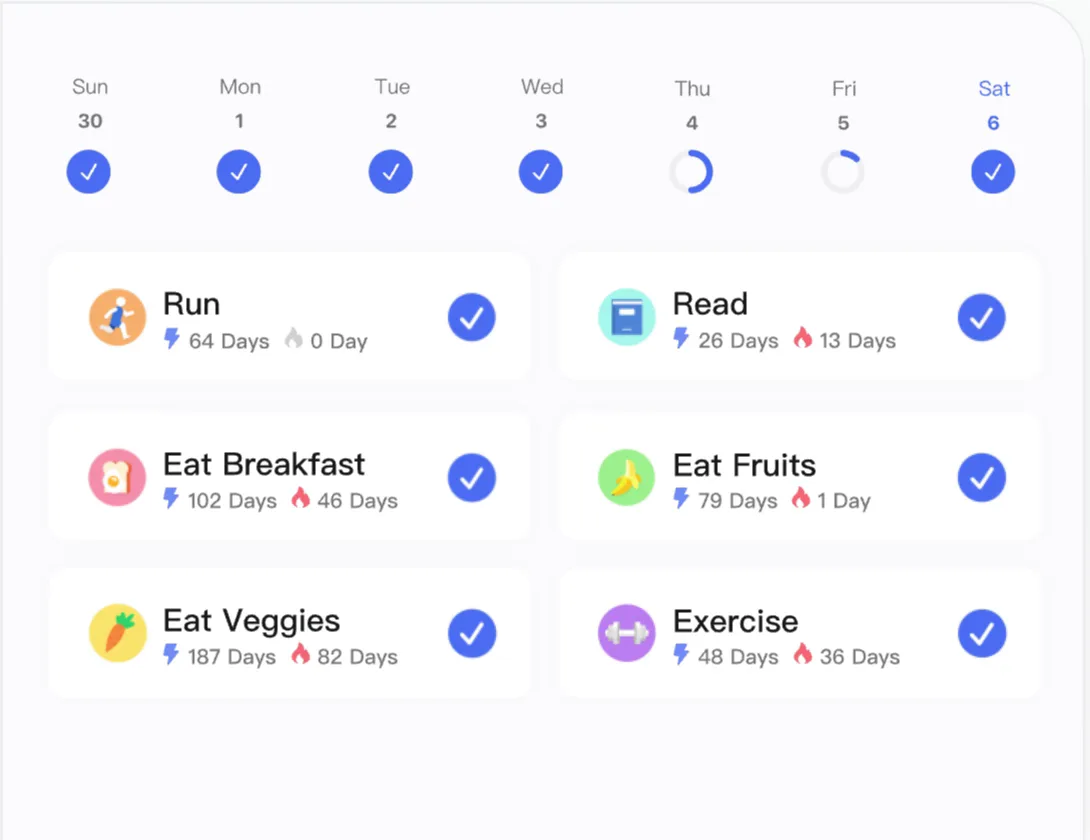
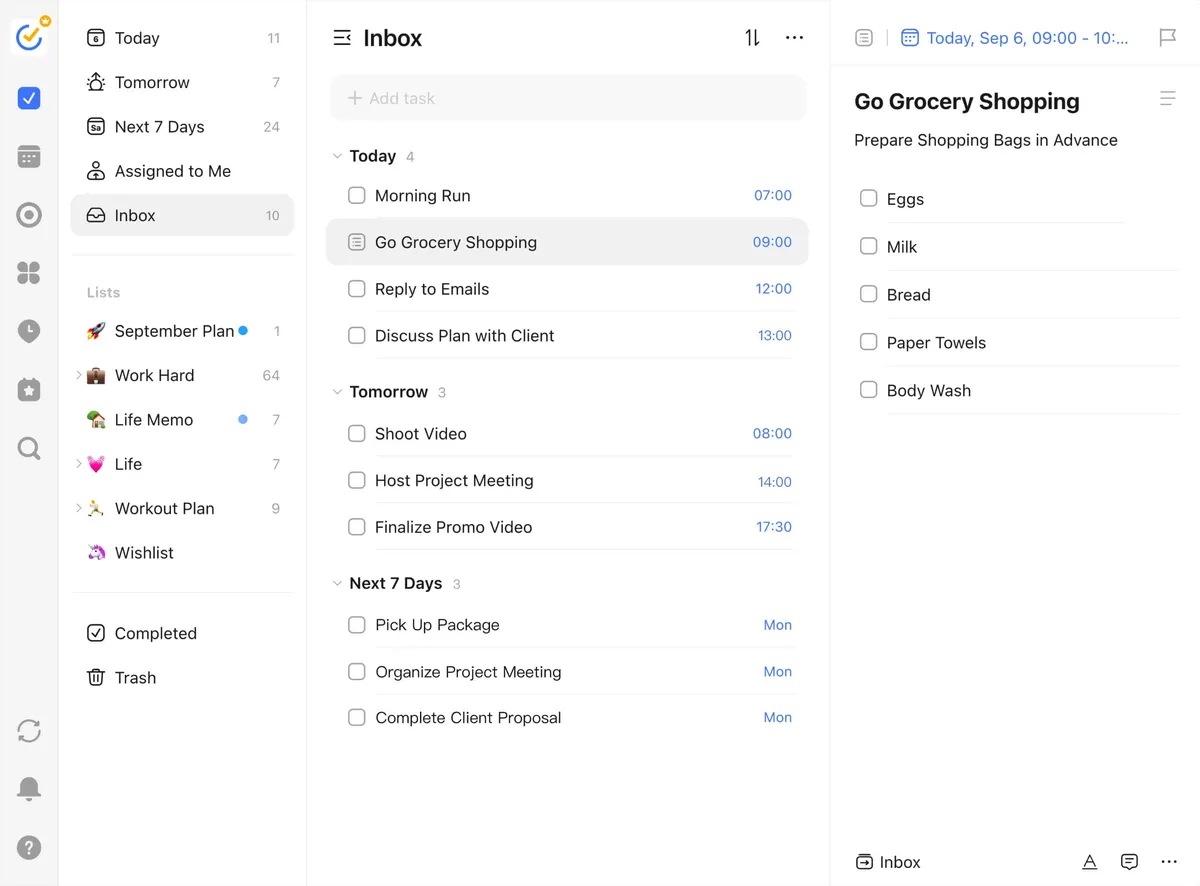
Pick it if you already juggle many projects and want one inbox for all of them. Skip it if you want a tracker built around an income goal, because TickTick is general-purpose and linking your habits to money is something you'd set up yourself.
Streaks: best if you only use Apple and want it simple
Streaks does one thing: you set up to 24 daily tasks and keep chains going. Its developer calls it a one-time purchase with no subscription, and it sells for $5.99 in the US App Store. It runs on iPhone, iPad, Apple Watch, Mac and Apple Vision Pro. The developer's site lists no Android version.
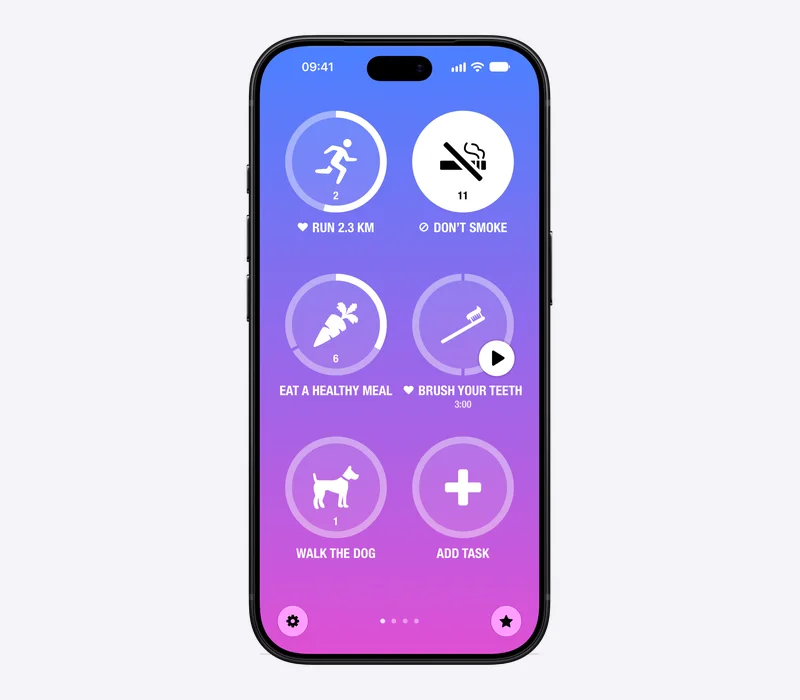
Pick it if you're all-in on Apple and hate subscriptions. Skip it if you switch between an Android phone and a laptop.
A paper calendar: the underrated free option
Cross off a square every day you do the work. That's the whole system, and it's why it works for some people: no login, no notifications, no setup.
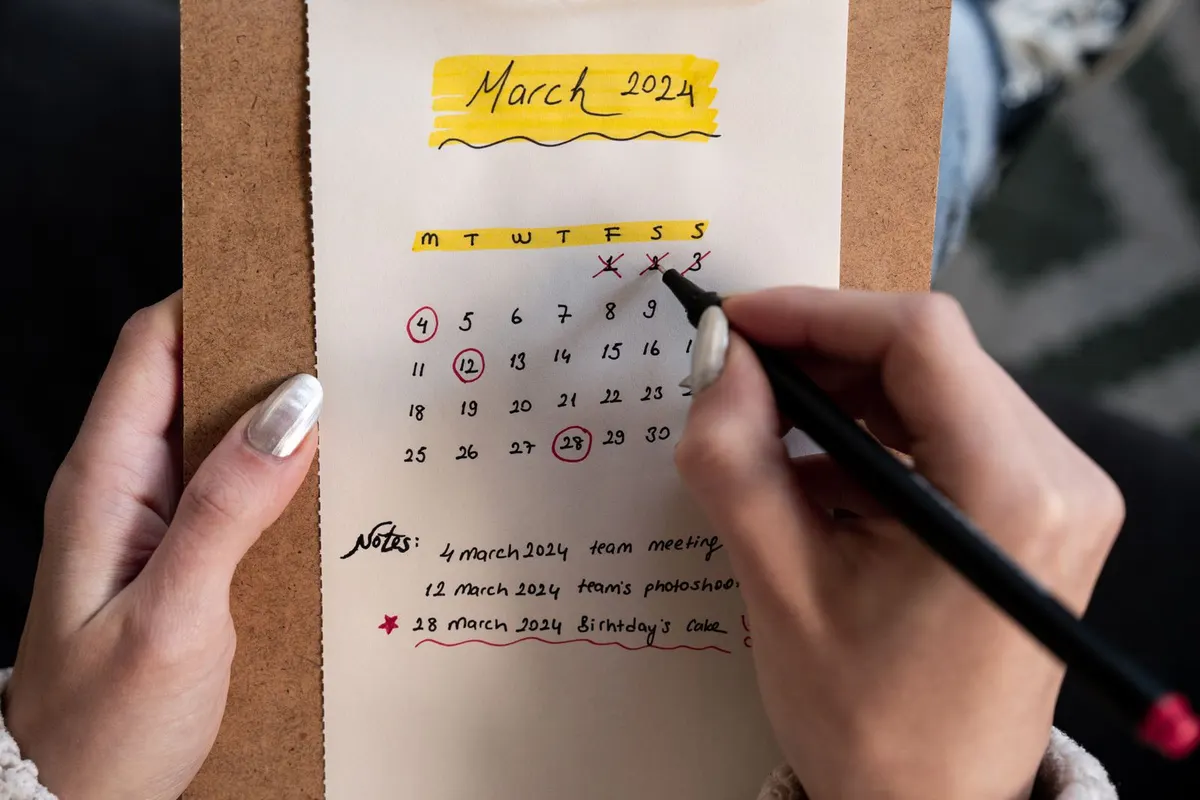
It fails in two ways. Nothing reminds you, and after three months you can't see your numbers. If you're the kind of person who looks at the wall every morning, though, it's hard to beat for the price.
Money Mode: best if your habits are about income
Money Mode is a habit tracker and focus timer made for the money grind. You set one money goal, like "$3,000 from clients" or "$1,000 MRR" (monthly recurring revenue, the income you can count on every month), then add daily tasks that move you toward it.
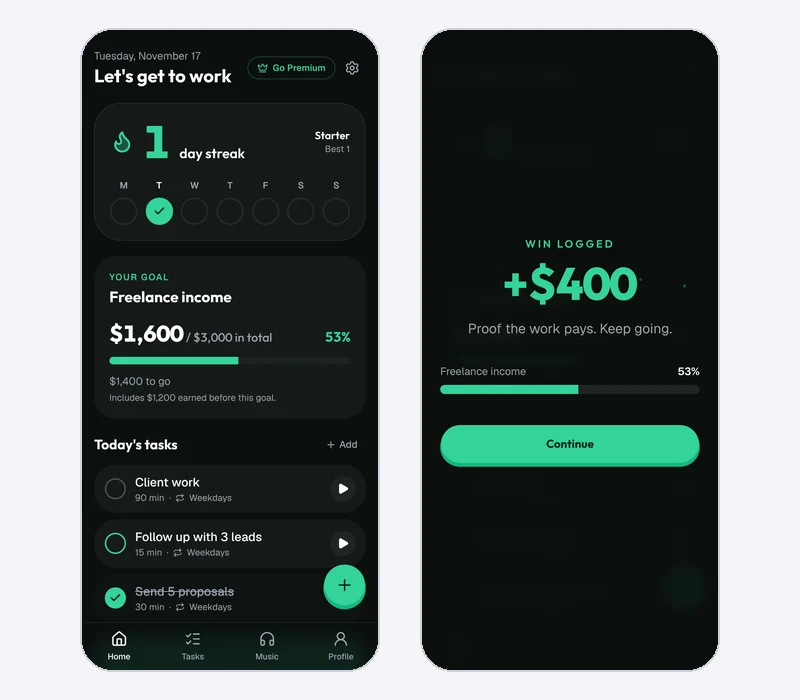
Pick it if you want your daily work tied to an income number. Skip it if you want a full to-do list or a native iPhone app, because Money Mode keeps to one goal and runs as a web app. (If your daily habit is sending proposals, here's how many it takes to land a first Upwork client.)
How a day works in Money Mode
For freelancers, the built-in starter tasks are send 5 proposals, follow up with 3 leads, and do 90 minutes of client work. You can edit them.
A day counts as a grind day when you finish at least one task or focus for 25 minutes. That bar is low on purpose, so one finished task keeps your streak alive after a long client day.
Here's an example setup (the times are just a starting point):
| Task | Repeats | Time |
|---|---|---|
| Send 5 proposals | Weekdays | 30 min |
| Follow up with 3 leads | Weekdays | 15 min |
| Client work | Weekdays | 90 min |
Press the play button on a task and a full-screen timer starts (15, 30, 45, 60 or 90 minutes, or a custom length). When you land a payment, log it with the + button and watch the goal bar move. You can set your first money goal free and try all of that on the free plan.
Where Money Mode is limited
Be clear on what you're getting:
- Free keeps three open tasks at once. The three tasks above fit exactly. A fourth, like "post on LinkedIn", needs Premium.
- Free gives you one streak freeze per week. Premium gives you three.
- Free stores your data in your browser only. If you want it on your phone and laptop, that's Premium's cloud sync. Premium also keeps your full history.
- It doesn't do invoicing, budgeting or bank connections. It tracks your work and your income, not your accounting.
- It's a web app you install, not an App Store app. It works offline, but there's no native iPhone or Android app yet.
Premium costs $4.99 a month or $29.99 a year, or $99 once for lifetime, with a 14-day free trial on monthly and annual plans. Check the pricing page for the current prices.
How to choose in 60 seconds
- You want one app for tasks, habits and projects: TickTick.
- You're on Apple devices and want a one-time price: Streaks.
- You want your daily habits tied to a dollar goal: Money Mode.
- You'll check a wall every morning: a paper calendar.
Whatever you pick, set a minimum day first. We cover that in how to stay consistent with a side hustle. If what you really want is a timer on each task, see our comparison of to-do list apps with a timer.
FAQ
Do freelancers need a habit tracker?
Not strictly. But freelancers have no boss and no fixed schedule, so a tracker acts as a boss that only checks one thing: did you do the work today?
Is there a free habit tracker for freelancers?
Yes. A paper calendar is free, TickTick has a free plan, and so does Money Mode. Streaks has no free plan: it's a one-time $5.99 purchase. Money Mode's free plan includes the daily loop, three open tasks and one streak freeze a week.
What's the difference between a habit tracker and a time tracker?
A time tracker records how long you worked, often so you can bill a client. A habit tracker records whether you did the repeating actions that grow your business, like outreach. Some freelancers use both.
Can a habit tracker help me earn more?
It can help you show up for the work that brings in clients. It can't guarantee income. How much you earn still depends on your skills, your market and your offer.
The short version
Pick the tracker you'll open on a tired Wednesday. If that's a to-do app, use TickTick. If that's a simple chain on your iPhone, use Streaks. If you want your daily work tied to an income goal, try Money Mode free and see if the streak keeps you honest.

Luiz King
Builds Money Mode, a habit tracker and focus timer made for the money grind.