Notion Habit Tracker vs a Habit App: Which to Use?

By Luiz King · · 7 min read

Use Notion for habit tracking if you already open it every day and want your habits next to your notes and projects. Use a dedicated habit app if you want it fast on your phone, with reminders and streaks that just work. Most people who only want to build habits are better off with an app: Notion has no habit feature of its own, so you build the tracker yourself, and it can't send repeating reminders.
One honest note first: we make Money Mode, one of the apps below, so weigh our view with that in mind. Every fact about Notion and the other apps comes from their own websites, help pages or App Store listing, checked in November 2026.
Notion vs a habit app at a glance
| Notion | A dedicated habit app | |
|---|---|---|
| Setup | You build or copy a template | Ready in a minute |
| Streaks | Only if a template or formula adds them | Built in |
| Daily reminders | One-off reminders only; no repeating ones yet | Usually built in |
| Phone check-in | Open the app, find the page, tick a box | One tap, often from a widget |
| Offline | In the desktop and mobile apps, for pages you mark as offline | Depends on the app |
| Flexibility | Track anything, any way you like | Fixed to what the app offers |
| Lives next to your notes | Yes | No |
Is Notion good for habit tracking?
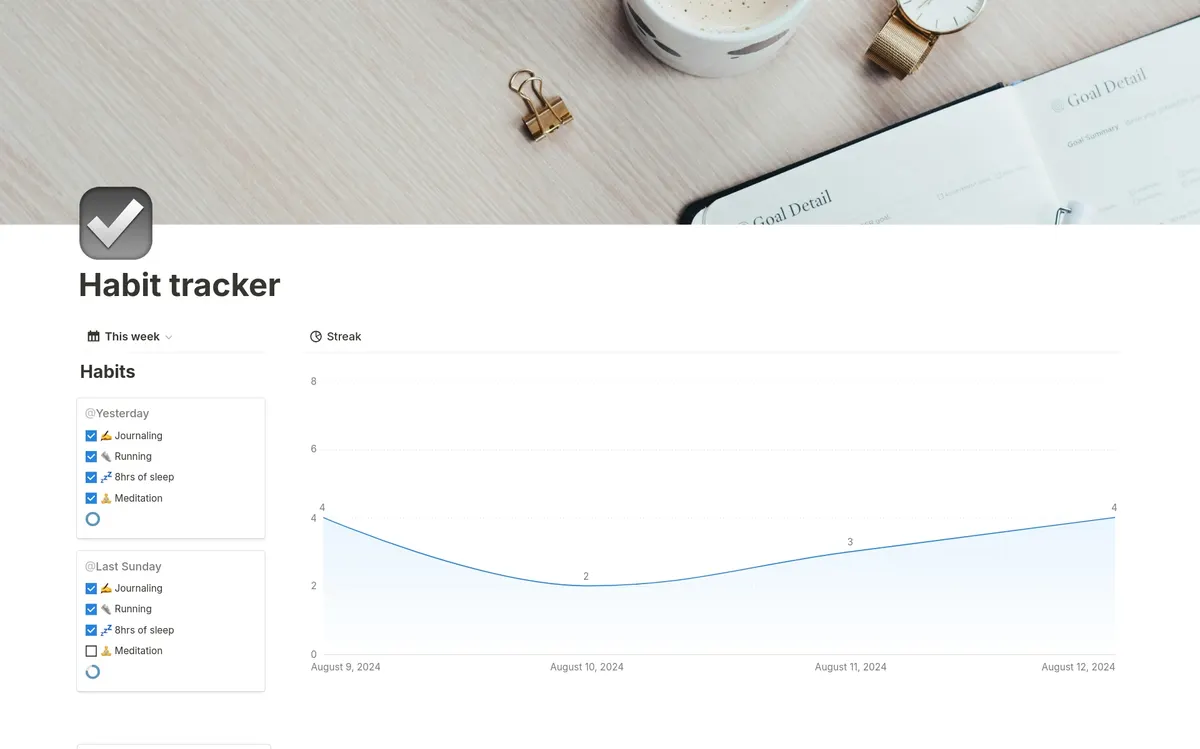
It can be, for the right person. Notion is a workspace for notes, docs and databases. A habit tracker in Notion is a database you design: a row per day, a checkbox per habit, and views or formulas on top.
Where Notion is strong
- Templates are plentiful. Notion's habit tracking template gallery lists thousands of templates, mostly made by users, and many are free.
- New days can create themselves. Notion's repeating database templates can add a fresh copy of your daily page "daily, weekly, monthly, or yearly".
- Everything is in one place. Your habit log can sit next to your client notes, content calendar and weekly review.
- It's on every device, including the iOS and Android apps.
Where Notion falls short for habits
- No repeating reminders. Notion's reminders help page asks "Does Notion have recurring reminders?" and answers: "Not at the moment". A one-off
@remindworks; a daily nudge doesn't. - Offline needs setup. You can work offline in the desktop and mobile apps, but you have to turn on "Available offline" for each page, on each device (Notion's offline guide).
- Charts are limited on Free. Free plan members can create one chart. Paid plans start at $10 per seat a month for Plus, billed monthly (Notion pricing).
- You maintain it. When a formula breaks or the template gets cluttered, fixing it is your job. That's fun for some people and a reason to quit for others.
The dedicated apps worth comparing
If you decide an app fits you better, here are three different kinds, with their facts as listed by each maker.
| App | Best for | Price (Nov 2026) | Runs on |
|---|---|---|---|
| Loop Habit Tracker | Free, private habit tracking on Android | Free, no ads, open source | Android |
| Streaks | Simple habit chains on Apple devices | $5.99 one-time (US App Store) | iPhone, iPad, Apple Watch, Mac, Vision Pro |
| Money Mode | Habits tied to an income goal | Free; Premium $4.99/month, $29.99/year or $99 once | Web app you install, works offline |
Loop Habit Tracker: free and private, Android only
Loop is open source (GPL-3.0). Its developer says it's "completely ad-free" and that "there are no in-app purchases". It works without an internet connection or an account, gives each habit a strength score, supports reminders and home-screen widgets, and exports to CSV.
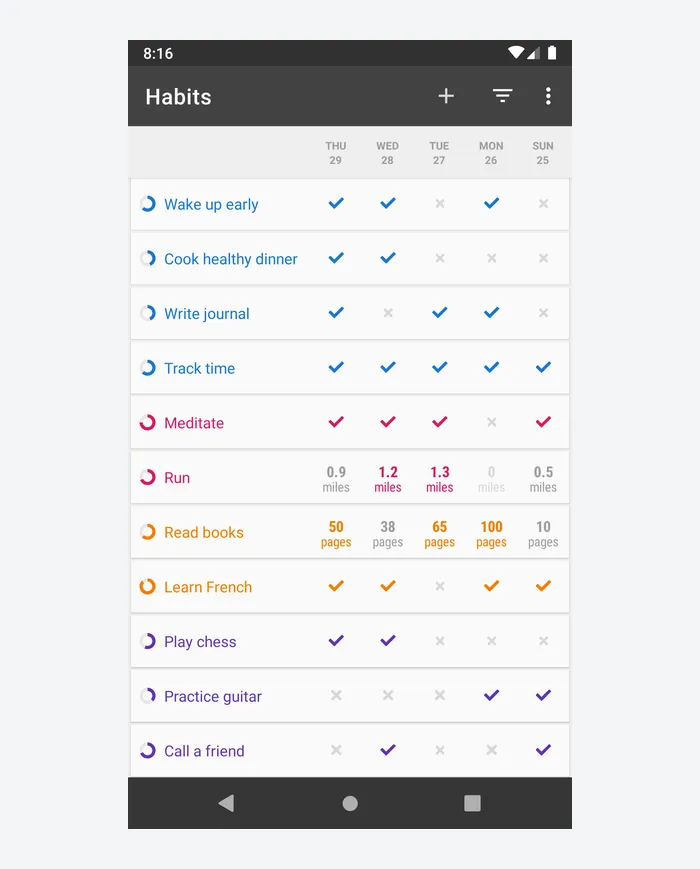
Pick it if you're on Android and want something free and private. Skip it if you use an iPhone: the project lists only Android downloads.
Streaks: a polished one-time purchase for Apple
Streaks tracks up to 24 daily tasks. Its maker calls it "a one-time purchase, with no subscription and no ads", and it sells for $5.99 in the US App Store. It's Apple-only.
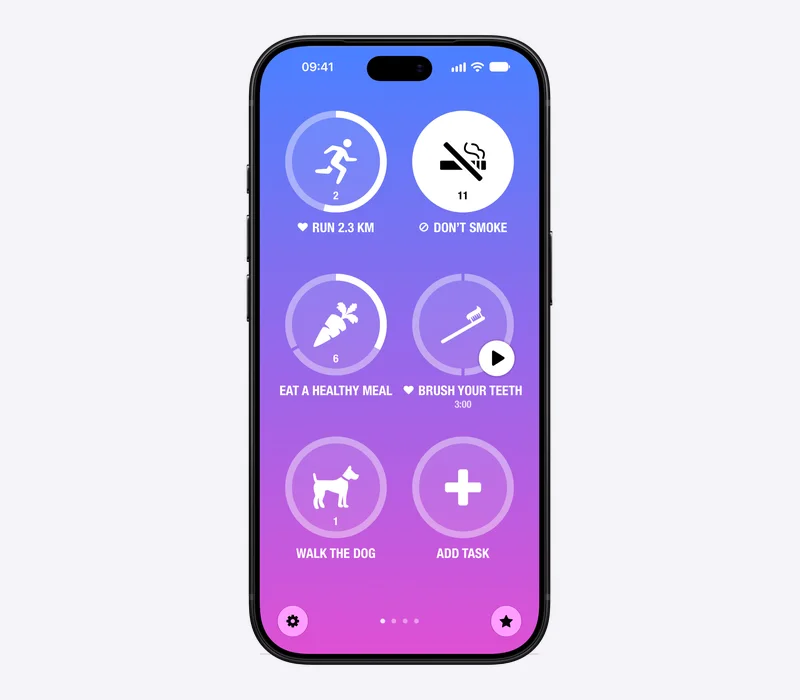
Pick it if you're all-in on Apple and dislike subscriptions. Skip it if you're on Android or switch between platforms.
Money Mode: habits tied to money
Money Mode is a habit tracker and focus timer made for people making money online. You set one money goal, like "$3,000 from clients" or "$1,000 MRR" (monthly recurring revenue), then add the daily tasks that move it: proposals, outreach, client work. A day counts as a grind day when you finish one task or focus for 25 minutes.
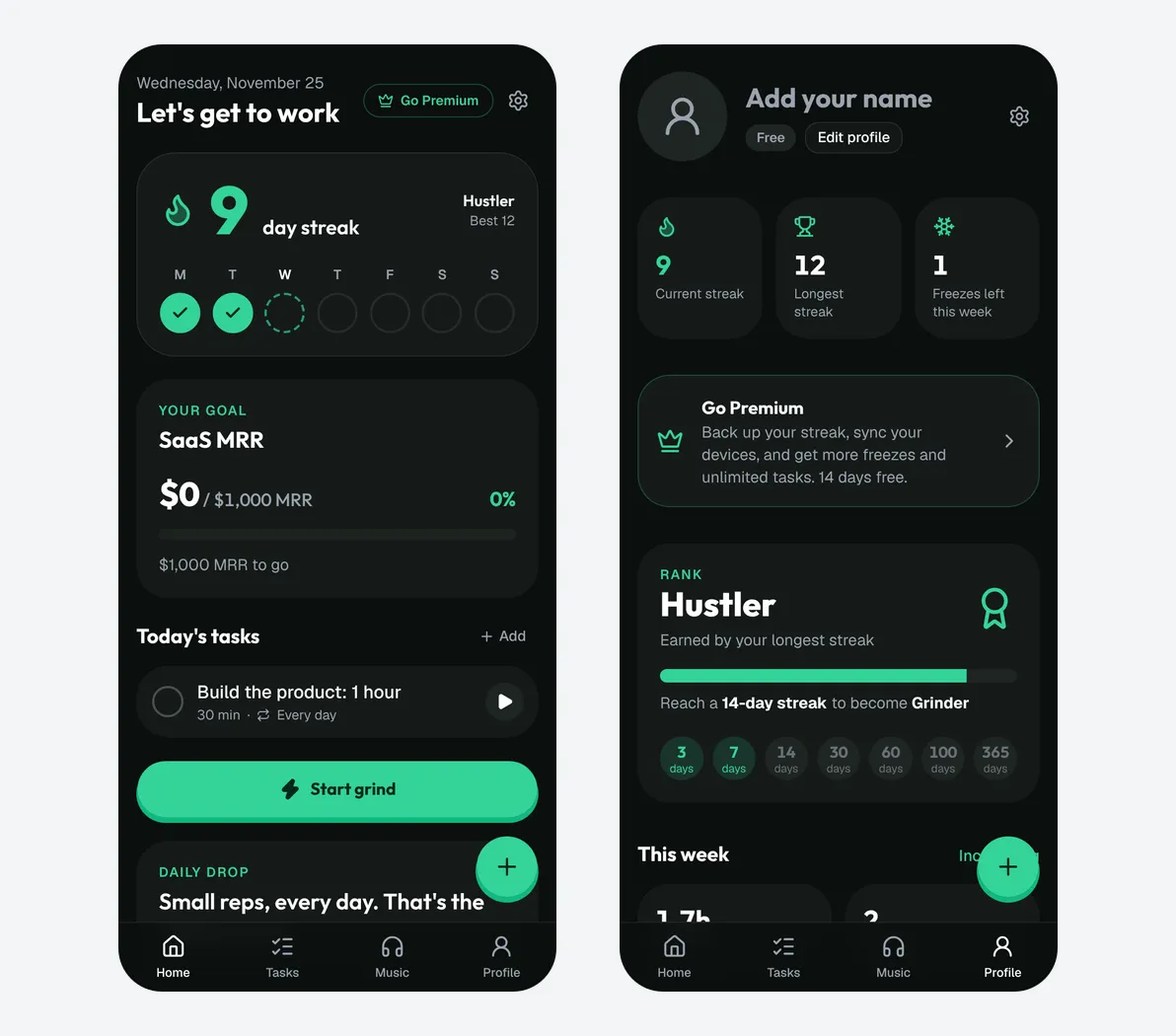
Pick it if your habits are about income and you want a focus timer in the same tap. Skip it if you want to track health or general habits, or want a native App Store app: Money Mode is built around one money goal and runs as a web app you install.
Be clear on the limits: Money Mode doesn't send reminders yet, so you open it yourself (it installs on your home screen). The free plan holds 3 open tasks at once, gives you one streak freeze per week and keeps your data in your browser only. Premium adds unlimited tasks, 3 freezes a week, cloud sync and your full history. It's $4.99 a month or $29.99 a year, with a 14-day free trial, or $99 once for lifetime (pricing). You can try Money Mode free for 14 days or stay on the free plan.
Can you use Notion and a habit app together?
Yes, and for many people that's the best setup. Split the jobs:
| Job | Where it lives |
|---|---|
| Daily check-in and streak | The habit app |
| Reminders | The habit app |
| Weekly review and notes on what worked | Notion |
| Plans, client notes, content ideas | Notion |
The app handles the two-second daily moment. Notion holds the thinking. Once a week, copy your streak and totals into your Notion review.
How to choose in 60 seconds
- You already live in Notion and enjoy building systems: a Notion template.
- You're on Android and want free and private: Loop.
- You're on Apple devices and want a one-time price: Streaks.
- Your habits are about making money: Money Mode.
- You keep abandoning trackers: pick the one with the fastest check-in, and read how long it really takes to build a habit.
For more options aimed at freelancers, see our comparison of the best habit trackers for freelancers.
FAQ
Is Notion good for habit tracking?
It's good if you already use Notion daily and like building your own setup. It has no habit feature of its own and no repeating reminders, so most people get a faster daily check-in from a dedicated app.
Is there a free habit tracker better than Notion?
For pure habit tracking, Loop is free with no ads on Android. Money Mode has a free plan in the browser. Which is "better" depends on your phone and what you track.
Can Notion remind me to do my habits?
Only with one-off reminders. Notion's help page says recurring reminders aren't available "at the moment".
Does Notion work offline?
Yes, in the desktop and mobile apps, for pages you turn on "Available offline" for. You have to do that on each device.
The short version
Notion is a flexible notebook that can track habits if you build the system. A habit app is a ready-made system that's faster on a tired night. If you love Notion, use a template and accept the setup. If you just want the habit to stick, pick an app with one-tap check-ins and reminders, and keep Notion for your weekly review.

Luiz King
Builds Money Mode, a habit tracker and focus timer made for the money grind.